Reverse PIN Security
for Total
WIPEOUT™
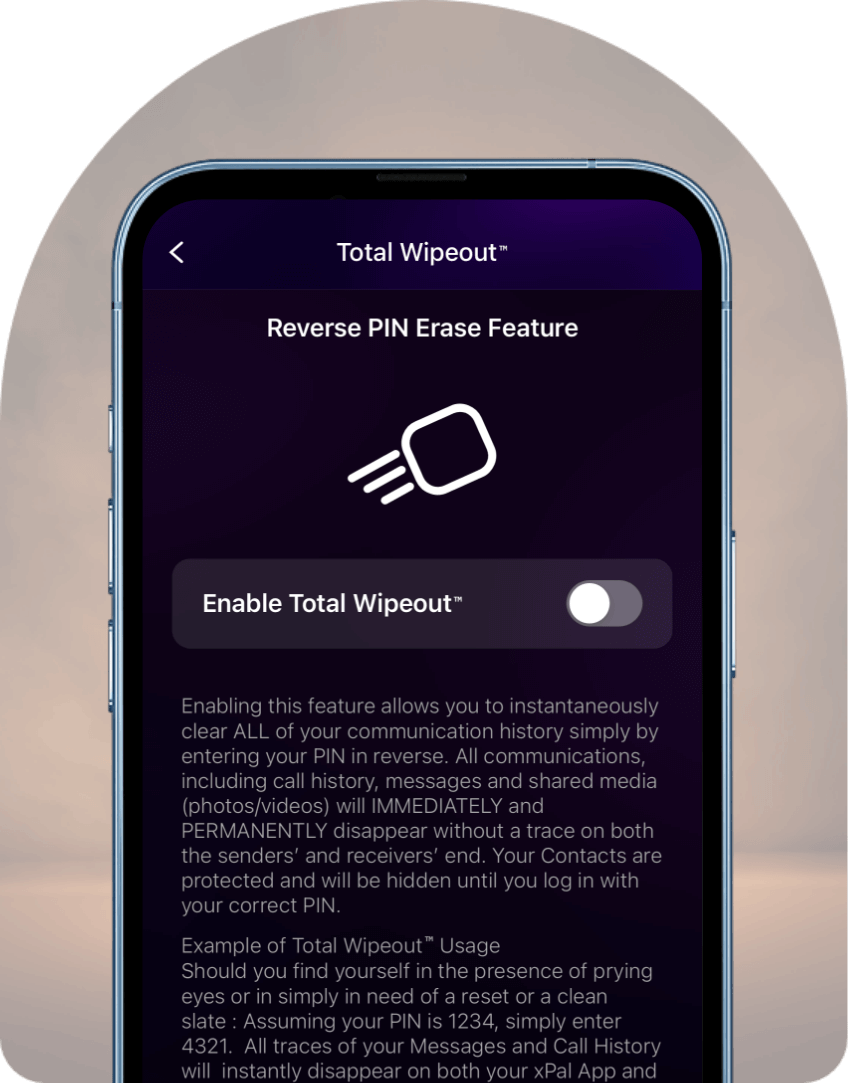
This feature offers reverse PIN security, allowing you to instantaneously clear ALL of your communication history simply by entering your PIN in reverse. All secure communications, including call history, messages, and shared media (photos/videos), will be immediately cleared from both the sender's and the receiver's device. Your contacts are protected and will be hidden until you log in with your correct PIN.
This feature offers reverse PIN security, allowing you to instantaneously clear ALL of your communication history simply by entering your PIN in reverse. All secure communications, including call history, messages, and shared media (photos/videos), will be immediately cleared from both the sender's and the receiver's device. Your contacts are protected and will be hidden until you log in with your correct PIN.
INSTANT WIPE OF HISTORY
The privacy protection app allows you to enable the Total Wipeout feature to instantly clear ALL of your chat history with reverse PIN security. All online communications, including texts, call history, and shared media (photos/videos), will be immediately cleared from both the sender's and the receiver's device. Your contacts are protected and will be hidden by the privacy protection app.
The privacy protection app allows you to enable the Total Wipeout feature to instantly clear ALL of your chat history with reverse PIN security. All online communications, including texts, call history, and shared media (photos/videos), will be immediately cleared from both the sender's and the receiver's device. Your contacts are protected and will be hidden by the privacy protection app.
Example of Total Wipeout Usage: If you find yourself in the presence of prying eyes or need a reset or clean slate, assuming your PIN is 1234, simply enter 4321. Your online communication, including messages and call history, is cleared immediately on both your xPal App and all others you have been chatting with. Your contacts will be hidden until you re-enter 1234 after logging out.
Example of Total Wipeout Usage: If you find yourself in the presence of prying eyes or need a reset or clean slate, assuming your PIN is 1234, simply enter 4321. Your online communication, including messages and call history, is cleared immediately on both your xPal App and all others you have been chatting with. Your contacts will be hidden until you re-enter 1234 after logging out.
IMPORTANT: Once you enter the reverse PIN for Total Wipeout™, there will be no warning or undo. All xPal data on that device will be destroyed. Your contacts will also be hidden until you re-enter the correct PIN.
Frequently Asked Questions
Use this feature when you need to protect your conversations immediately, such as when someone tries to access your phone without permission. It is most useful in emergencies for Secure Communication, where you want to remove sensitive communication history instantly.
It removes the entire conversation history linked to that chat. This includes the messages you sent, the replies you received, shared media, and call logs, and it clears them from the chat threads on both participants' devices.
They will only see that the previous messages are gone. It is not notified to everyone.
The one-by-one deletion method means opening each conversation and removing messages individually. Total Wipeout™ Reverse PIN wipes instantly with a single action, making it ideal for urgent situations.
No. Your account remains active after the wipe. The feature only removes communication history and temporarily hides your contacts. You can continue using the app normally once you log in again with your correct PIN.
No. This feature is intentionally designed without an undo option. Once the reverse PIN is entered and the wipe process begins, the data is removed from that device. Because of this, users should remember their PIN carefully and avoid entering it incorrectly.